
What is an eSIM?
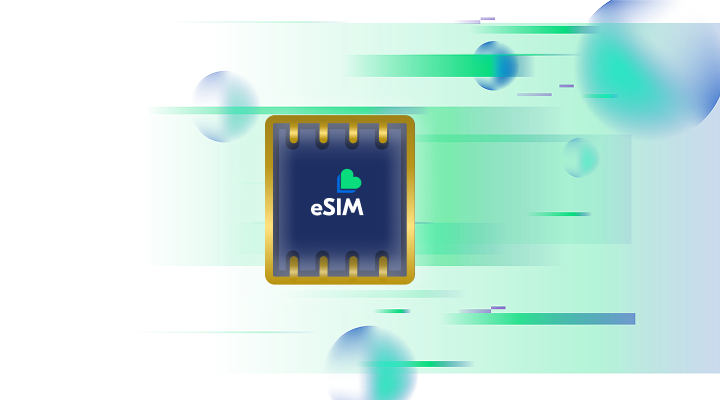
An eSIM (embedded SIM) is a digital SIM card embedded directly into a device, replacing the need for a physical SIM card. It performs the same functions as a traditional SIM, allowing devices to connect to mobile networks, make calls, and use data, but without requiring a physical card to be inserted or swapped.
Why Choose Lyca Mobile eSIM?
 Easy Activation: Get started instantly online-no store visits or physical SIM cards needed. Quick Switching: Change plans or carriers in seconds with no waiting or hassle. Eco-Friendly: Save the planet by cutting out plastic SIM cards and reducing waste.
Get your eSIM now 3 easy steps
Get your eSIM in minutes with our quick and easy 3-step process. Your LycaMobile SIM must be activated in Australia. Once your SIM is activated in the Australia, you can use it internationally according to your mobile plan.

Step 1
Check device compatibility
Check if your smartphone is compatible with eSIM.

Step 2
Buy your eSIM
Choose the plan that suits you best and add your free eSIM while selecting the plan.

Step 3
eSIM Activation & Setup Guide
Activate your plan first then scan the QR code you received via email to install your eSIM and follow the on-screen instructions.
Will eSIM work on my phone?
Check out the list of eSIM-compatible devices.
Apple

| iPhone Air | iPhone 17 Pro Max | iPhone 17 Pro | iPhone 17 |
| iPhone 16e | iPhone 16 Pro Max | iPhone 16 Pro | iPhone 16 Plus |
| iPhone 16 | iPhone 15 Pro Max | iPhone 15 Pro | iPhone 15 Plus |
| iPhone 15 | iPhone 14 Pro Max | iPhone 14 Pro | iPhone 14 Plus |
| iPhone 14 | iPhone SE 3 (2022) | iPhone 13 Pro Max | iPhone 13 Pro |
| iPhone 13 Mini | iPhone 13 | iPhone 12 Pro Max | iPhone 12 Pro |
| iPhone 12 Mini | iPhone 12 | iPhone SE 2 (2020) | iPhone 11 Pro Max |
| iPhone 11 Pro | iPhone 11 | iPhone XS Max | iPhone XS |
| iPhone XR | Apple Watch Ultra 2 | Apple iPad Air 3rd, 4th, 5th Generation | Apple iPad 7th, 8th, 9th, 10th Generation |
| Apple iPad Air 11 | Apple iPad Air 13 | Apple iPad mini 5th, 6th Generation | Apple Watch Ultra |
| Apple iPad Pro 13 | Apple Watch 10 | Apple iPad Pro 12.9 | Apple Watch Series 3rd, 4th, 5th, 6th, 7th, 8th, 9th 10th Generation |
| Apple iPad Pro 11 | Apple Watch SE 2nd Generation |
Samsung
| Galaxy A35 5G | Galaxy S22 ULTRA | Galaxy Tab S9 Fe Plus |
| Galaxy A54 5G | Galaxy S22+ | Galaxy Tab S9 FE+ |
| Galaxy A55 5g | Galaxy S23 | Galaxy Tab S9 Plus |
| Galaxy Flip4 | Galaxy S23 FE | Galaxy Tab S9 Ultra 5G |
| Galaxy Flip3 | Galaxy S23 ULTRA | Galaxy Watch |
| Galaxy Flip5 | Galaxy S23+ | Galaxy Watch Active2 |
| Galaxy Fold | Galaxy S23FE | Galaxy Watch FE |
| Galaxy Fold4 | Galaxy S24 | Galaxy Watch2 |
| Galaxy Note 20 5G | Galaxy S24 FE | Galaxy Watch3 |
| Galaxy Note 20 Ultra 5G | Galaxy S24 ULTRA | Galaxy Watch4 |
| Galaxy Note20 | Galaxy S24+ | Galaxy Watch5 |
| Galaxy Note20 5G | Galaxy S24FE | Galaxy Watch5 Pro |
| Galaxy Note20 Ultra | Samsung Galaxy S25 Ultra | Galaxy Watch6 |
| Galaxy Note20 Ultra 5G | Samsung Galaxy S25+ | Galaxy Z Flip |
| Galaxy S20 | Samsung Galaxy S25 Edge | Galaxy Z Flip 5G |
| Galaxy S20 5G | Samsung Galaxy S25 | Galaxy Z Flip3 5G |
| Galaxy S20 Ultra | Samsung Galaxy S25 FE | Galaxy Z FLIP4 |
| Galaxy S20 Ultra 5G | Samsung Galaxy Z Fold7 | Galaxy Z Flip4 5G |
| Galaxy S20 Ultra LTE | Samsung Galaxy Z Flip7 | Galaxy Z Flip5 |
| Galaxy S20+ | Samsung Galaxy Z Flip7 FE | Galaxy Z Flip6 |
| Galaxy S20+ 5G | Galaxy Tab Active5 5G | Galaxy Z Fold2 5G |
| Galaxy S21 | Galaxy Tab S10 Plus | Galaxy Z Fold2 LTE |
| Galaxy S21 5G | Galaxy Tab S10 Ultra 5G | Galaxy Z Fold3 5G |
| Galaxy S21 Ultra 5G | Galaxy Tab S9 | Galaxy Z Fold4 |
| Galaxy S21+ 5G | Galaxy Tab S9 FE | Galaxy Z Fold5 |
| Galaxy S22 | Galaxy Tab S9 FE 5G | Galaxy Z Fold6 |
Android-others
| PIXEL | HUAWEI | OPPO | MOTOROLA | XIAOMI | SONY | OnePlus | NOKIA | VIVO |
| Pixel 3 | HUAWEI Mate 40 Pro | OPPO Find X5 Pro | moto g54 5G | Xiaomi Note 13 Pro 5G | Sony Xperia 10 III Lite | OnePlus 11 | Nokia XR21 | vivo X90 Pro |
| Pixel 3 XL | HUAWEI P40 | OPPO Find X5 | motorola edge 40 neo | Xiaomi Note 13 Pro+ 5G | Sony Xperia 10 IV | OnePlus 12 | Nokia X30 | vivo V29 |
| Pixel 3a | HUAWEI P40 Pro | OPPO A55s 5G | motorola edge 50 ultra | Xiaomi Note 14 Pro+ 5G | Sony Xperia 10 V | OnePlus 13 | Nokia G60 5G | vivo X100 Pro |
| Pixel 3a XL | HUAWEI Pura 70 Pro | OPPO Find N2 Flip | motorola razr 2023 | Xiaomi 12T Pro | Sony Xperia 1 IV | OnePlus Open | vivo X80 Pro | |
| Pixel 3XL | OPPO Find N3 | motorola razr 2024 | Xiaomi 13 | Sony Xperia 5 IV | vivo V29 Lite 5G | |||
| Pixel 4 | OPPO Find N3 Flip | motorola edge 50 fusion | Xiaomi 13 Pro | Sony Xperia 5 V | vivo V40 | |||
| Pixel 4 XL | OPPO Reno 9A | moto g53 5G | Xiaomi 13T | Sony Xperia Ace III | vivo V40 Lite | |||
| Pixel 4a | OPPO Reno 6 Pro 5G | motorola razr+ | Xiaomi 13T Pro | Sony Xperia 1 VI | vivo V40 SE 5G | |||
| Pixel 4a (5G) | OPPO Reno 5A | moto g84 5G | Xiaomi 14 | |||||
| Pixel 5 | OPPO Find X3 | moto g34 5G | Xiaomi 14 Pro | |||||
| Pixel 5a | OPPO Find X3 Pro | Cancun5G23 | Xiaomi 14T | |||||
| Pixel 6 | motorola razr 50 ultra | Xiaomi 14T Pro | ||||||
| Pixel 6 Pro | motorola edge 40 | Xiaomi Watch 2 Pro | ||||||
| Pixel 6a | ||||||||
| Pixel 7 | ||||||||
| Pixel 7 Pro | ||||||||
| Pixel 7a | ||||||||
| Pixel 8 | ||||||||
| Pixel 8 Pro | ||||||||
| Pixel 8a | ||||||||
| Pixel 9 | ||||||||
| Pixel 9 Pro | ||||||||
| Pixel 9 Pro Fold | ||||||||
| Pixel 9 Pro XL | ||||||||
| Pixel Fold |
Others
| Sharp | ZTE | HONOR | Fairphone | OUKITEL |
| Sharp AQUOS sense8 | ZTE Nubia Flip | Honor Magic 4 Pro | Fairphone 5 5G | OUKITEL WP30 Pro |
| Sharp AQUOS wish | Doogee V30 | Honor Magic 5 Pro | Fairphone 4 | OUKITEL WP33 Pro |
| Sharp AQUOS wish2 | Rakuten Hand | Honor Magic 6 Pro | V30 | |
| Sharp AQUOS 06 | Rakuten Big | Honor Magic V2 | ||
| Sharp Sharp AQUOS R7 | Rakuten Big S | Honor Magic V3 | ||
| Sharp Sharp AQUOS R8 | Rakuten Hand 5G | Honor 90 | ||
| Sharp AQUOS wish3 | Rakuten Mini | Honor X8 | ||
| Sharp Sharp AQUOS R8 Pro | Honor 200 | |||
| Sharp AQUOS sense7 Plus | Honor 200 Pro | |||
| Sharp AQUOS sense7 | ||||
| Sharp AQUOS sense4 lite | ||||
| Sharp AQUOS sense6 | ||||
| Sharp AQUOS zero6 | ||||
| Sharp AQUOS sense6s |
Could not find your device
Could not find your device in the list above? Follow the steps below to check if your device is eSIM compatible.
- Dial *#06# on your phone and look for a 32-digit EID number. If it appears, your device likely supports eSIM.
- On iPhones, go to Settings > Cellular > Add Mobile Data Plan. If you see the option to add an eSIM, your iPhone supports eSIM.
- For Android devices like Samsung, go to Settings > Connections > SIM card manager or SIM Manager and see if "Add eSIM" is available.
- Check if your phone is carrier unlocked by going to Settings > General > About and looking for "Carrier Lock" or "Network Provider Lock." If it says "No SIM restrictions," your phone is unlocked and can use eSIM.
- You can also confirm compatibility by checking your device manufacturer's specifications or contacting your carrier, as some models or carriers may not enable eSIM even if the hardware supports it.

Benefits of Lyca eSIM
Check out the list of eSIM-compatible devices.


Dual -SIM Capability
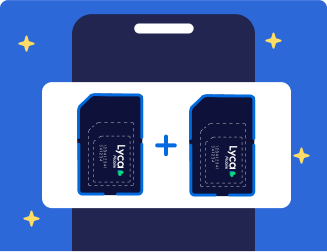
Keep two different SIM profiles on your device and service between them as needed.

Reliable coverage, everywhere
Stay connected wherever you go with our extensive coverage.

Easy Setup
At Lyca Mobile you can order your eSIM free of charge - the eSIM and its delivery are completely free of charge.

FAQ’s
What is an eSIM and how is it different from a physical SIM?
An eSIM is an embedded SIM built into your device, unlike a physical SIM which is a removable plastic card. eSIM profiles are activated remotely by downloading a profile, so you don’t need to insert a physical card. They offer the same service level but are more secure, harder to lose or damage, and allow instant switching between carriers without swapping card.
How do I know if my device is compatible?
Most modern flagship smartphones support eSIM, including recent models from Apple (iPhone 11 and later), Samsung Galaxy S20 and newer, Google Pixel 3a and newer, and some OPPO and Motorola phones. You should check if your specific device model supports eSIM. You can do this following these steps below:
- Dial *#06# on your phone and look for a 32-digit EID number. If it appears, your device likely supports eSIM.
- On iPhones, go to Settings > Cellular > Add Mobile Data Plan. If you see the option to add an eSIM, your iPhone supports eSIM.
- For Android devices like Samsung, go to Settings > Connections > SIM card manager or SIM Manager and see if "Add eSIM" is available.
- Check if your phone is carrier unlocked by going to Settings > General > About and looking for "Carrier Lock" or "Network Provider Lock." If it says "No SIM restrictions," your phone is unlocked and can use eSIMs.
- You can also confirm compatibility by checking your device manufacturer's specifications or contacting your carrier, as some models or carriers may not enable eSIM even if the hardware supports it.
Can I transfer my number to a Lyca Mobile eSIM?
Yes, you can transfer your existing number to a Lyca Mobile eSIM. You can follow the self help process above or contact customers service for further assistance.
How long does eSIM activation take?
Activation of a Lyca Mobile eSIM is quick and straightforward. After receiving the QR code by email, you scan it with your compatible device and follow the on-screen instructions. The entire activation usually takes just a few minutes once you have a stable internet connection.
Can I switch from a physical SIM to an eSIM?
Yes, you can, you will need to call Customer Service and they can support the request to transfer from a Physical to an eSIM. You can find them here.
What is eSIM QR code?
A QR code is a type of barcode used for quick and easy access to information using a smartphone. To use it, simply scan the unique code with your phone’s camera and the relevant information will be sent back to Lyca, enabling us to add an eSIM profile onto your device in a safe and secure manner. There’s no need to download any additional apps as the QR code reader is built into your phone.